Create New Projects
To create a new project, open one of your workspaces and select "New Project." In the popup window, enter all required details.
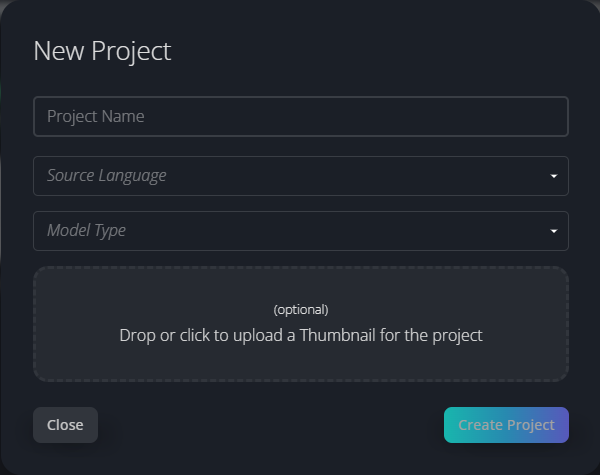
For Media Dubbing and Line Dubbing projects, you'll need to specify a project name, a source language, and the voice model. Optionally, you can upload a thumbnail to help identify your project on the dashboard.
For Text To Speech projects, a source language is not required. Simply specify the project name and the voice model.
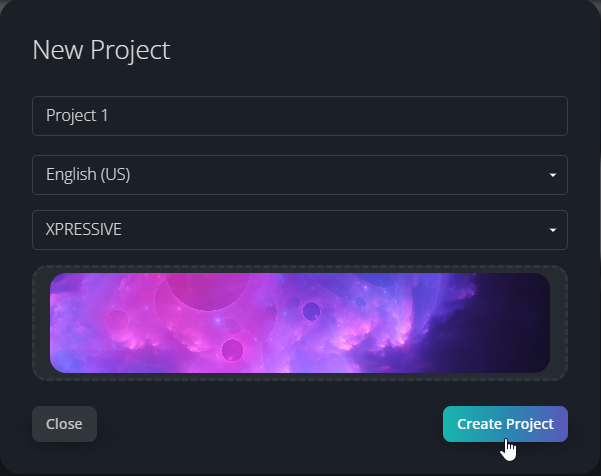
When you're done, just click on Create Project.
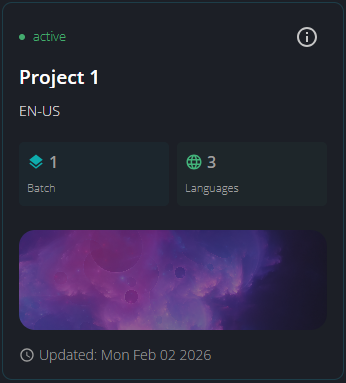
In the product dashboard, the following project card with essential information will be created:
Clicking on the  button, provides access to the project information screen, offering details about the project.
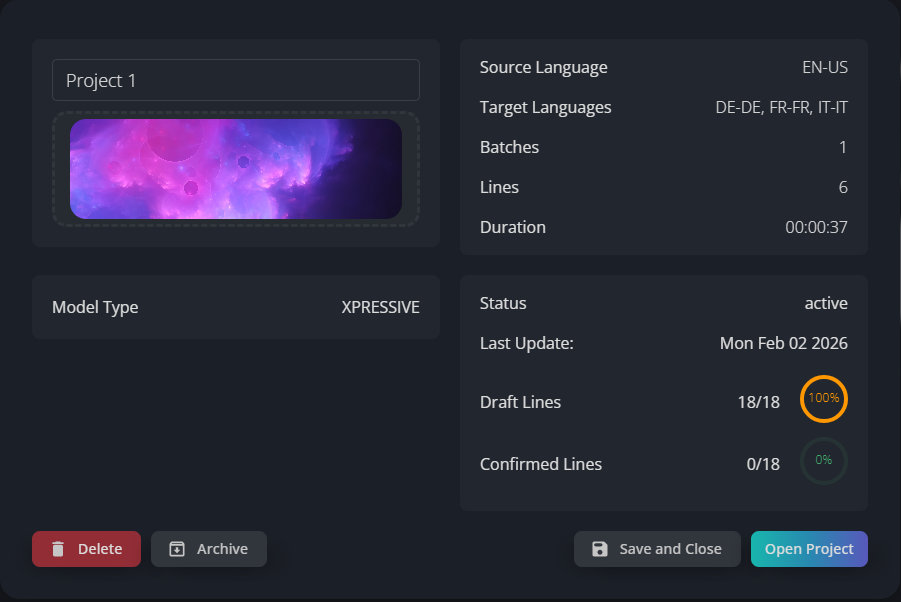
From this screen you can edit the project name, upload or change the project thumbnail, archive and delete the project. Please note that deleting a project is a permanent action: all uploaded data, as well as any output generated or synthesized, will be deleted. Only the Workspace Admin and the Project Owner have permission to archive, unarchive or delete a project.